> For the complete documentation index, see [llms.txt](https://help.holixa.com/holixa-tools4inventor/llms.txt). Markdown versions of documentation pages are available by appending `.md` to page URLs; this page is available as [Markdown](https://help.holixa.com/holixa-tools4inventor/commands-overview/ilogic-samples/center-text.md).
# Center text
## Command Description
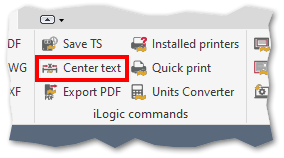
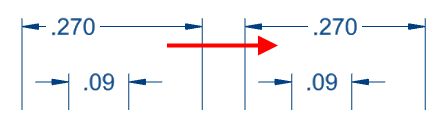
This is a sample iLogic command. It moves the dimension text to the center of the dimension line.
Dimension text before and after using the command
## Command Location
* Drawing environment
## Command Settings
This command has no direct settings.
### Workflow Overview
1. Run the command.
2. Select the dimension.
{% hint style="info" %}
The command can also be used in reverse order (first select the dimension (multiple dimensions) and then run the command).
{% endhint %}