> For the complete documentation index, see [llms.txt](https://help.holixa.com/holixa-tools4inventor/llms.txt). Markdown versions of documentation pages are available by appending `.md` to page URLs; this page is available as [Markdown](https://help.holixa.com/holixa-tools4inventor/commands-overview/ilogic-samples/save-ts.md).
# Save TS
## Command Description
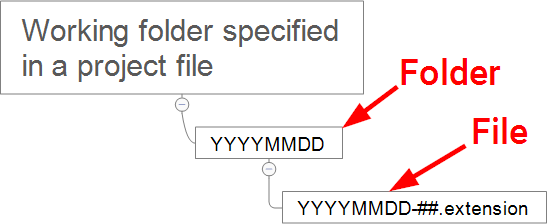
This is a sample iLogic command that can save the new file in a directory based on the current date with a file name based on the current date and a counter. It can help users without the Autodesk Vault environment to ensure that unique filenames are always used.
For newly created files, the Save TS command can be used as a replacement for the standard Save As command.
### Command folder structure and numbering
Command folder sturcure and numbering
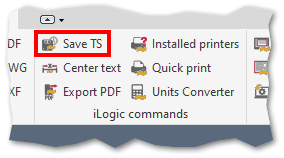
## Command Location
* All environments, including presentation environment (Add-Ins ribbon).
## Command Settings
This command has no direct settings.
## Workflow Overview
1. Run the command.
2. Save the file.