> For the complete documentation index, see [llms.txt](https://help.holixa.com/t4r/llms.txt). Markdown versions of documentation pages are available by appending `.md` to page URLs; this page is available as [Markdown](https://help.holixa.com/t4r/features/list-of-features/data-from-schedule.md).
# Data from Schedule
**Icon:**
**Location:** ribbon Holixa T4R, panel Legends
**Packages:** Holixa T4R Silver
### **Overview**
The Data from Schedule feature is used to automatically generate legend components for items of a schedule.
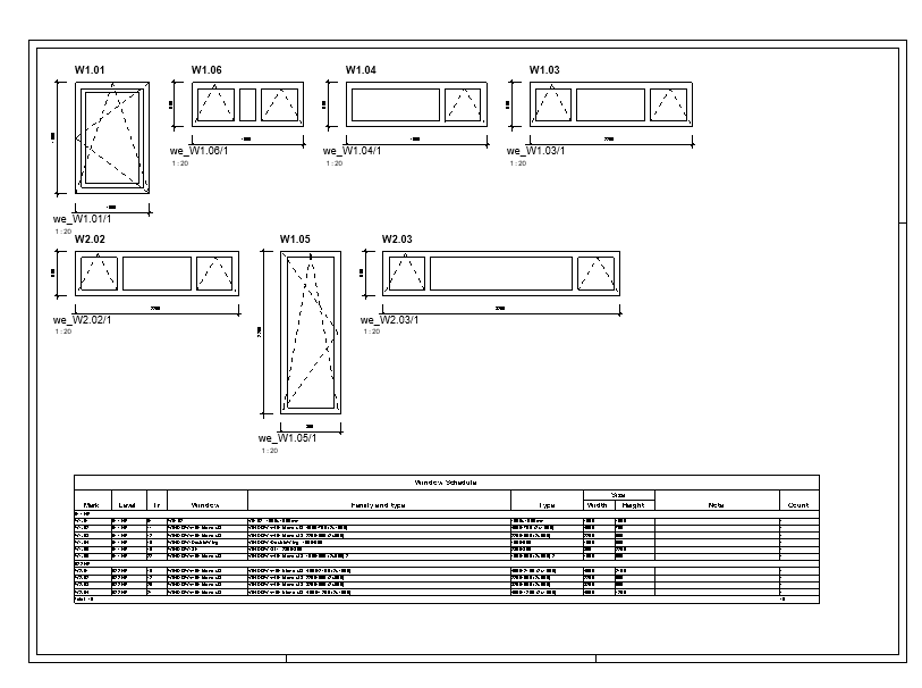
After selecting an existing schedule, it creates a set of sheets with the schedule itself and a legend for each of its items placed and organized on them.
The legends contain legend components of selected type, their basic dimensions and a Type Mark or Mark tag as a reference to the schedule.
The user can choose the types of generated legend components, their scale as well as the types of created dimensions and text annotations. It is a useful tool especially for fast creation graphical window and door schedules.