> For the complete documentation index, see [llms.txt](https://help.holixa.com/t4r/llms.txt). Markdown versions of documentation pages are available by appending `.md` to page URLs; this page is available as [Markdown](https://help.holixa.com/t4r/features/list-of-mep-features/units.md).
# Units
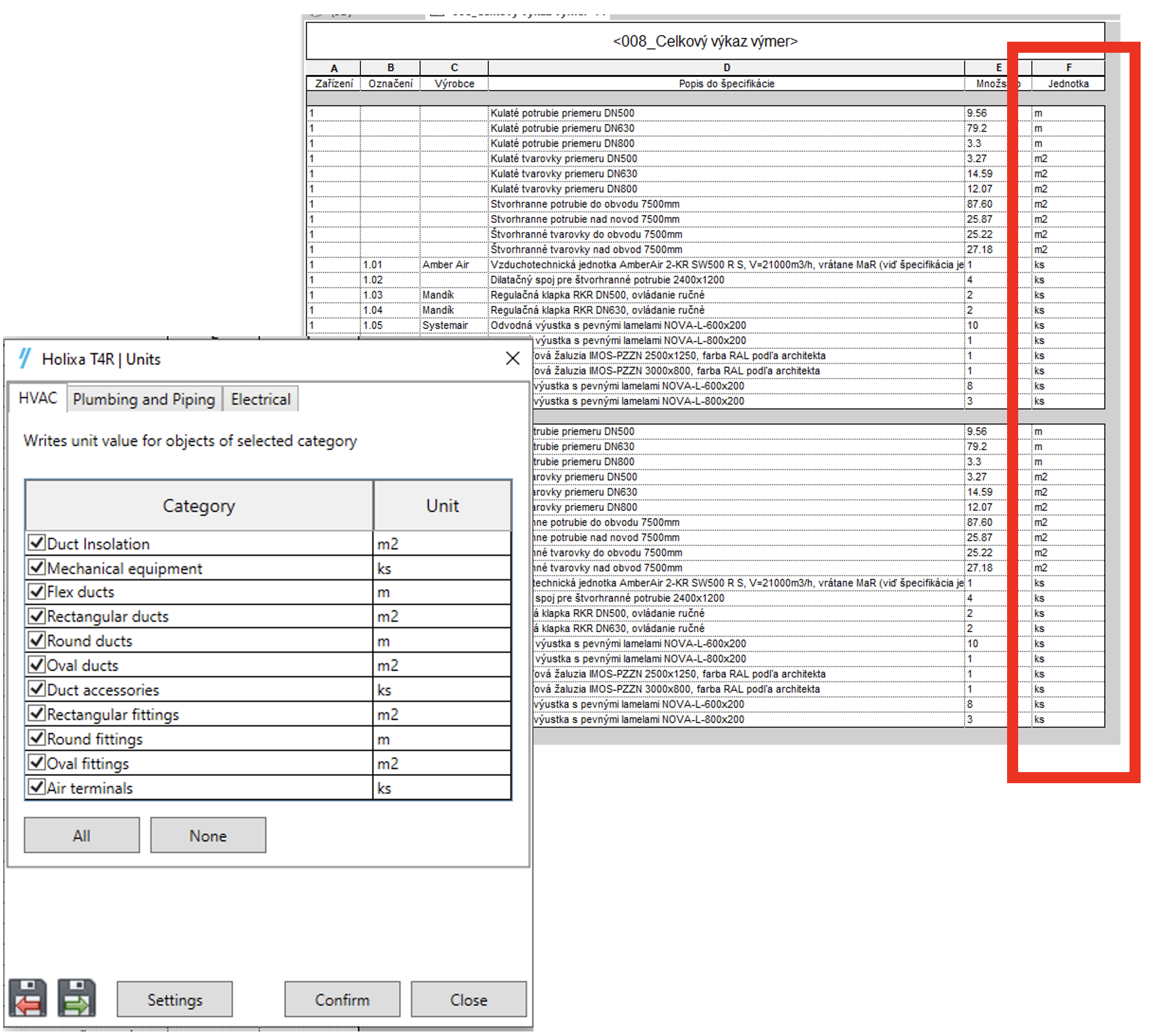
Assign units to parameters and create schedules with proper units for listed values
**Icon:**
**Location:** ribbon Holixa T4R MEP, panel Parameters
**Packages:** Holixa T4R Bronze | Holixa T4R Silver
{% hint style="info" %}
### Main functionalities and benefits:
* Allows you to assign used measurement units to selected parameters
* You can easily create multi-category schedules with proper units for listed values
{% endhint %}
### Overview
The Units function enables you to specify the measurement units that should be used for certain parameters.
With this function, you can create multi-category schedules that display values using the correct units. This can make it easier to understand and work with the data in your project.