> For the complete documentation index, see [llms.txt](https://help.holixa.com/t4r/llms.txt). Markdown versions of documentation pages are available by appending `.md` to page URLs; this page is available as [Markdown](https://help.holixa.com/t4r/features/list-of-features/element-location.md).
# Element Location
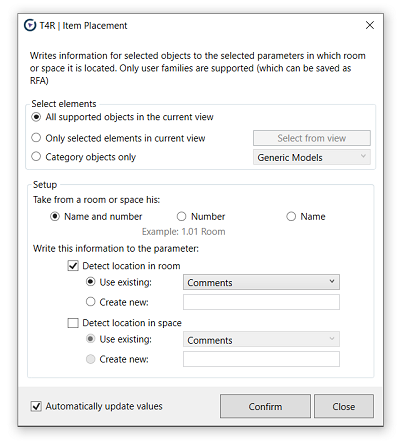
Writes room or space it is location information to the selected parameters.
**Icon:**
**Location:** ribbon Holixa T4R, panel Parameters
**Packages:** Holixa T4R Silver
### **Overview**
The function Element Location writes the room or space name to a parameter of the project item. If you move that item (e.g. chair, computer, switchbox - any family) to a different room or space, that parameter will change automatically.
Only user families are supported (those that can be saved as RFA). If you move the given family / element (eg chair, equipment. etc...) to another room, the given parameter will be automatically updated. Location information can then be used in schedules, tags, etc...
#### Click to play the video tutorial ↓
{% file src="/files/7Oe4j4PjsRremqLb25fE" %}