> For the complete documentation index, see [llms.txt](https://help.holixa.com/t4r/llms.txt). Markdown versions of documentation pages are available by appending `.md` to page URLs; this page is available as [Markdown](https://help.holixa.com/t4r/features/list-of-features/line-of-travel.md).
# Line Of Travel
Generates the stair arrow, numbering and description
**Icon:**
**Location:** ribbon Holixa T4R, panel Description
**Packages:** Holixa T4R Silver
{% hint style="info" %}
### Main functionalities and benefits:
* Work easier and faster with stairs
* Enhanced and automated tagging based on European standards
{% endhint %}
### **Overview**
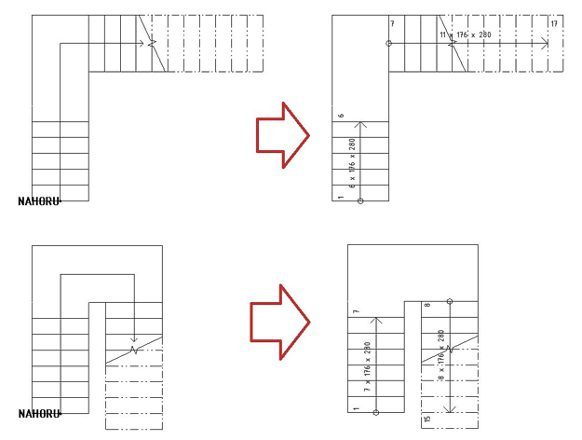
Allow generating the stair arrow by national standards, including stair description and tread numbering - on a single mouse click.
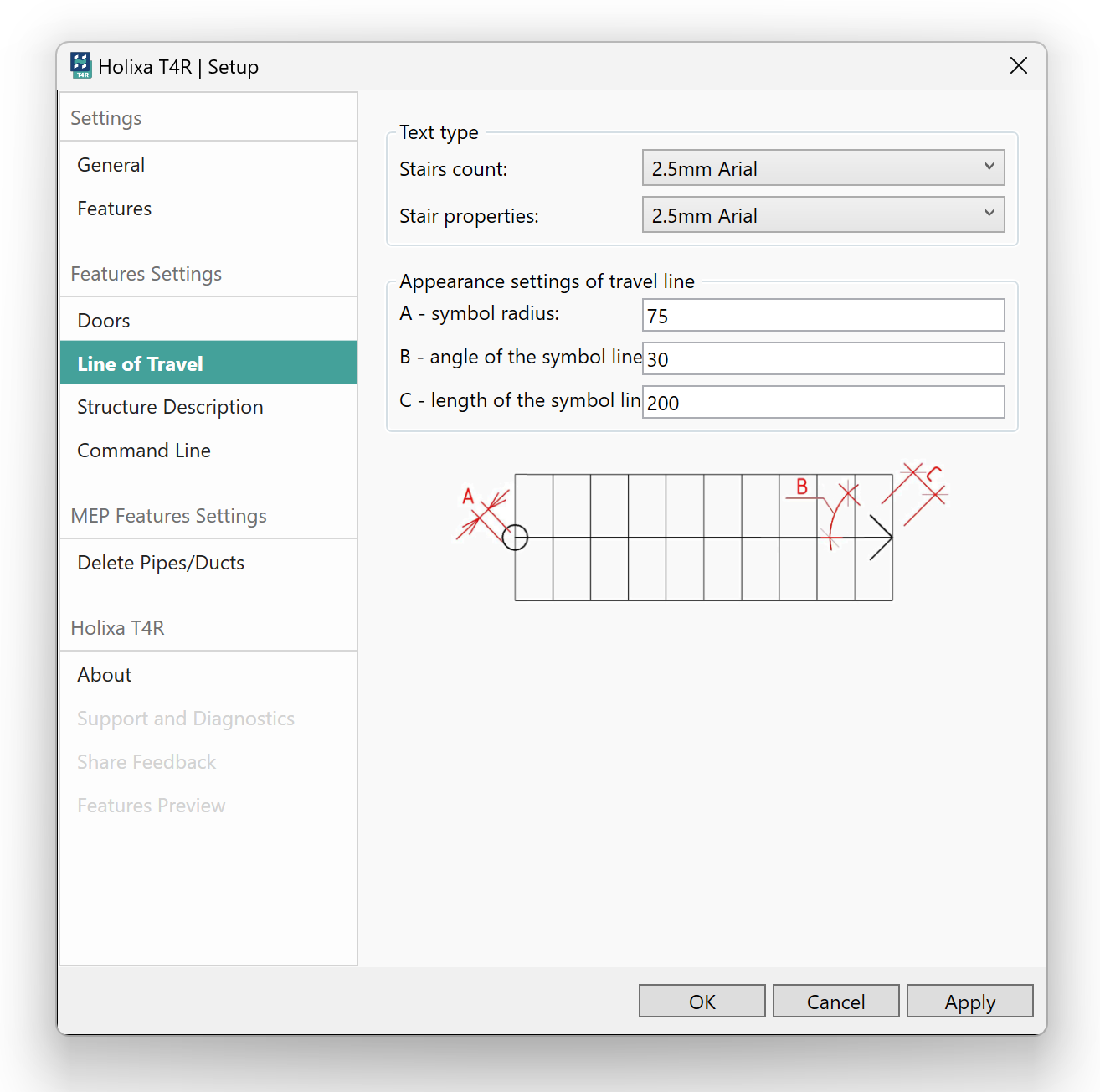
The tool also contains settings where you can define label text type, symbol radius, angle of the symbol line and length of the symbol line
Settings
#### Click to play the video tutorial ↓
{% file src="/files/9AiT0bJdoUCAdNebnBMQ" %}