> For the complete documentation index, see [llms.txt](https://help.holixa.com/holixa-tools4inventor/llms.txt). Markdown versions of documentation pages are available by appending `.md` to page URLs; this page is available as [Markdown](https://help.holixa.com/holixa-tools4inventor/commands-overview/be.smart-t4i-labs/first-view-model-to-drawing-property-sync.md).
# First-view Model to Drawing Property Sync
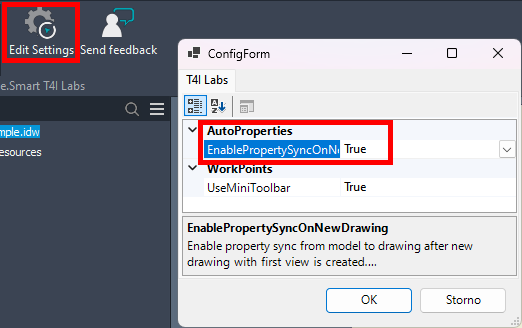
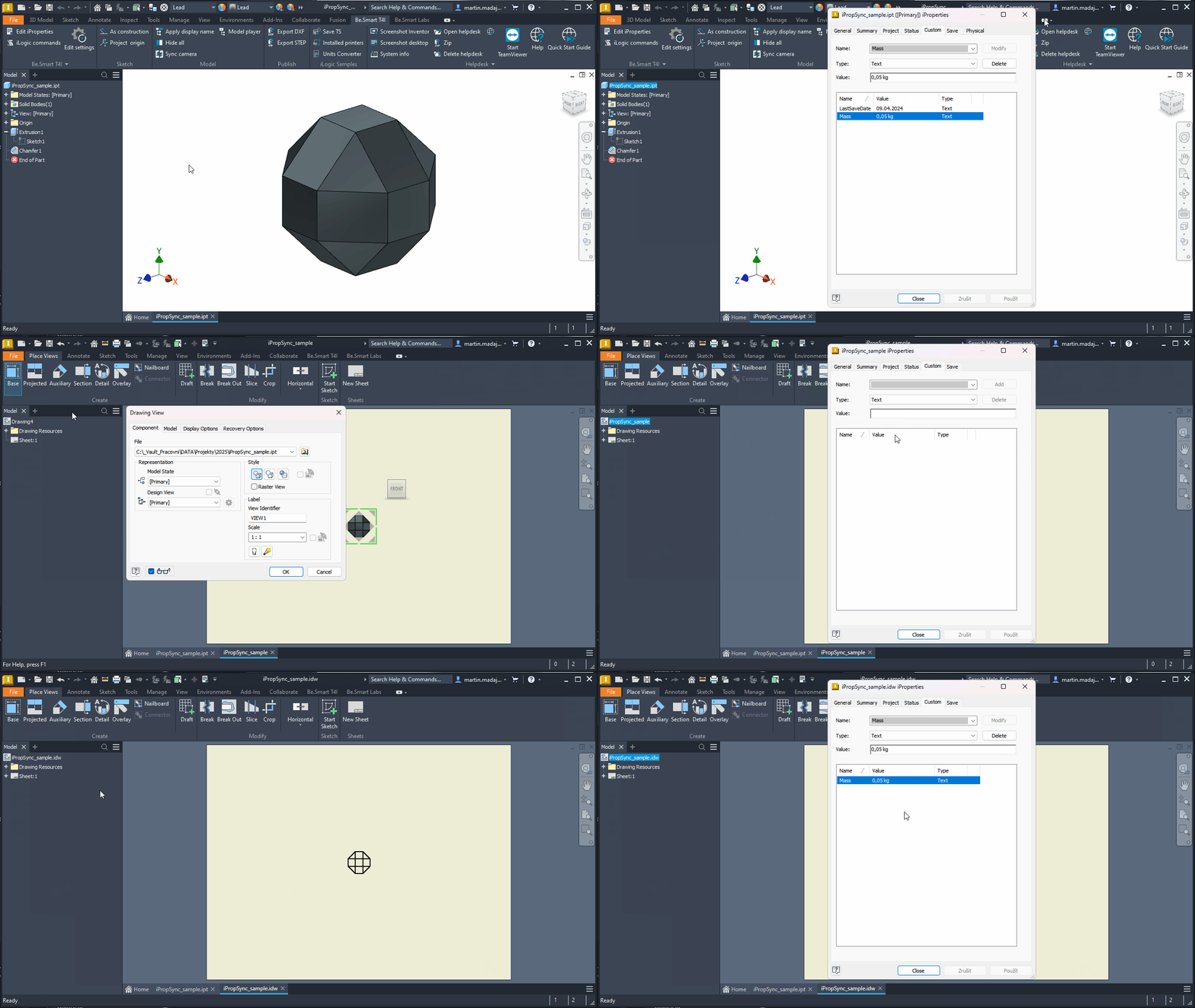
This is an improvement of the current [Synchronization of iProperties](/holixa-tools4inventor/commands-overview/be.smart-t4i/edit-settings/auto-iproperties/synchronization-of-iproperties.md) command. If enabled in Be.Smart T4I Labs settings, the model properties can be synchronized to the drawing automatically after saving the drawing document. Before, the drawing had to be saved, closed, and reopened to synchronize the properties.